
Problem
Mapping page-level dependency before the update window opened
The team had to roll out an updated SPFx package across multiple sites, but native SharePoint tooling still could not show which modern pages were actively using the web part or which site owners actually needed to validate the change.
- QA scope was too broad because the team had to guess which pages mattered.
- Site-owner communication was incomplete because there was no reliable page-level usage list.
- The change window carried more uncertainty than it should have for a routine lifecycle task.
Solution
Replacing installation assumptions with a page-level usage inventory
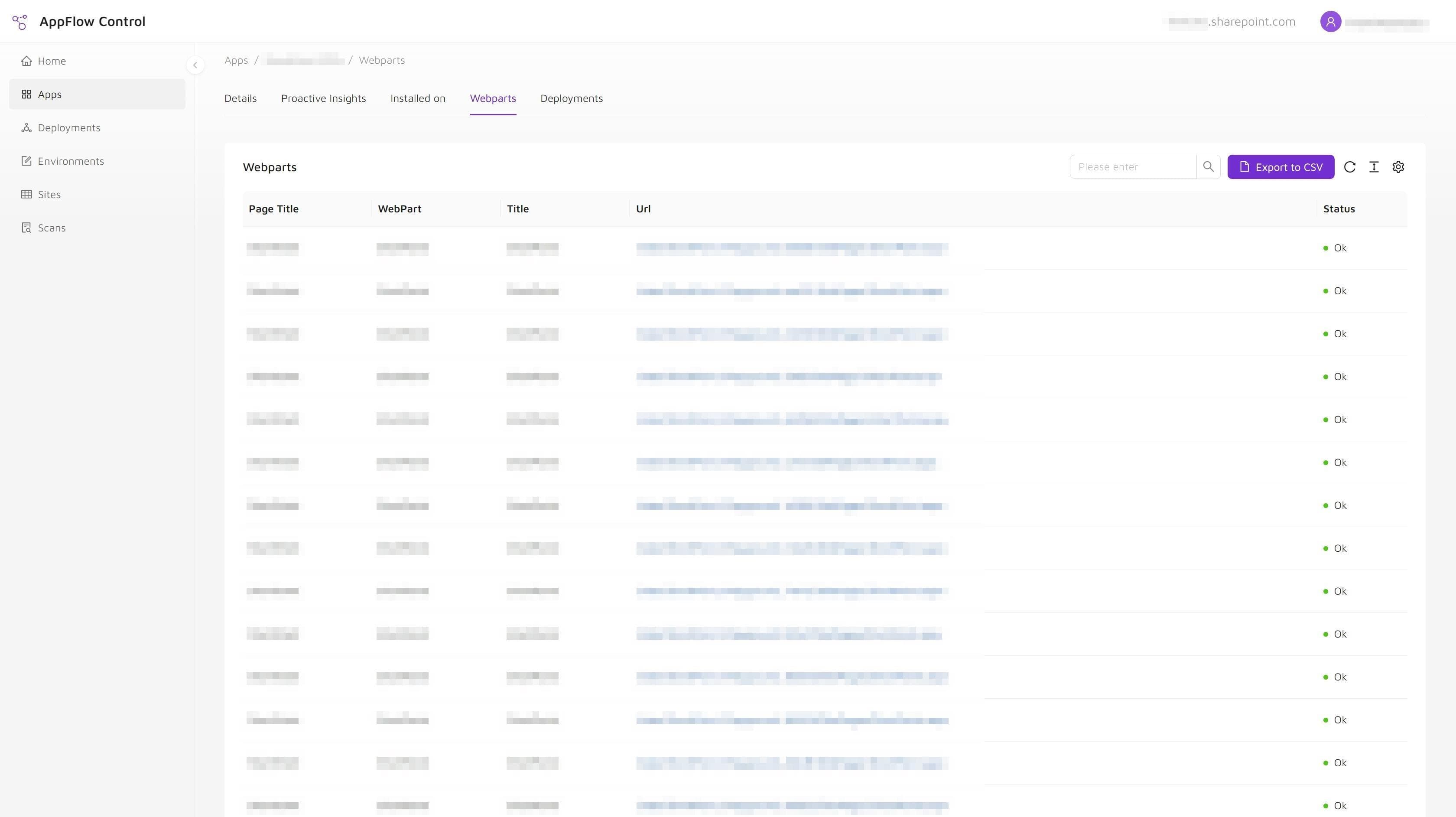
The team used a page-level inventory workflow to identify live web part usage, filter affected pages, and export the list that would drive QA planning and stakeholder communication before deployment.
- Administrators reviewed the target solution through an operational workflow instead of asking site owners to search manually.
- The exported page list turned dependency discovery into a structured rollout plan before deployment started.
Outcome
Narrower QA scope and safer stakeholder communication before deployment
The update moved forward with much tighter control over blast radius, better evidence before approval, and less delay caused by ad hoc dependency checks across the environment.
- Clearer blast-radius visibility before the update window opened.
- Faster QA targeting because the team worked from affected pages instead of assumptions.
- Safer stakeholder communication with site owners who actually needed to review the change.
Solutions Used
Primary solution
Product
AppFlow Control
AppFlow Control gave the team the page-level usage inventory and export workflow needed to identify affected pages before the SPFx update moved into QA and stakeholder review.
View product pageSupporting solution
Service
Microsoft 365 Administration
The Microsoft 365 administration engagement provided the rollout planning, validation workflow, and stakeholder communication model around the product-driven inventory step.
View service pageWhy The Previous Workflow Broke Down
The previous workflow depended on deployment artifacts and partial records rather than dependency visibility.
That approach failed for predictable reasons:
- the app catalog could confirm package availability, not page-level usage;
- installation data alone could not show where the component was placed on modern pages;
- manual outreach to site owners produced incomplete answers and slowed the rollout;
- custom scripts and search workarounds were not dependable enough for a time-sensitive change.
In short, the team had deployment mechanics but not the lifecycle visibility needed to change the environment confidently.
Operational Takeaways
Page-level usage data changes the quality of SharePoint administration decisions. Before a team upgrades, patches, or retires an SPFx solution, it needs to separate three different questions:
- Is the package available in the catalog?
- Is the app installed on a site?
- Is the component actually used on a page that people depend on?
The third question is where risk usually hides. That is why this problem deserves both a visibility workflow and a documented process, not just a deployment script. If your team is dealing with the same issue, the next useful reads are how to locate SharePoint SPFx app installations across multiple sites and why SharePoint app management breaks at scale.
Next step
Use AppFlow Control to make SharePoint rollout work safer before change windows open.
AppFlow Control gave the team the page-level usage inventory and export workflow needed to identify affected pages before the SPFx update moved into QA and stakeholder review. Review the AppFlow Control page to see how the same visibility and rollout control can apply to your SharePoint environment.