
Problem
Rebuilding the same installation audit every time stakeholders asked
The team supported a SharePoint Online environment with recurring governance and support requests, but each audit cycle still depended on rerunning PowerShell, checking permissions, cleaning exports, and translating raw data into something other teams could use.
- Inventory requests kept resurfacing as one-off PowerShell jobs instead of a stable operational workflow.
- Weekend and after-hours work appeared because the audits were treated as simple admin tasks even though they were repeated dependencies.
- The output was difficult to hand off because raw script results still needed interpretation and cleanup.
Solution
Moving routine installation checks into a live inventory workflow
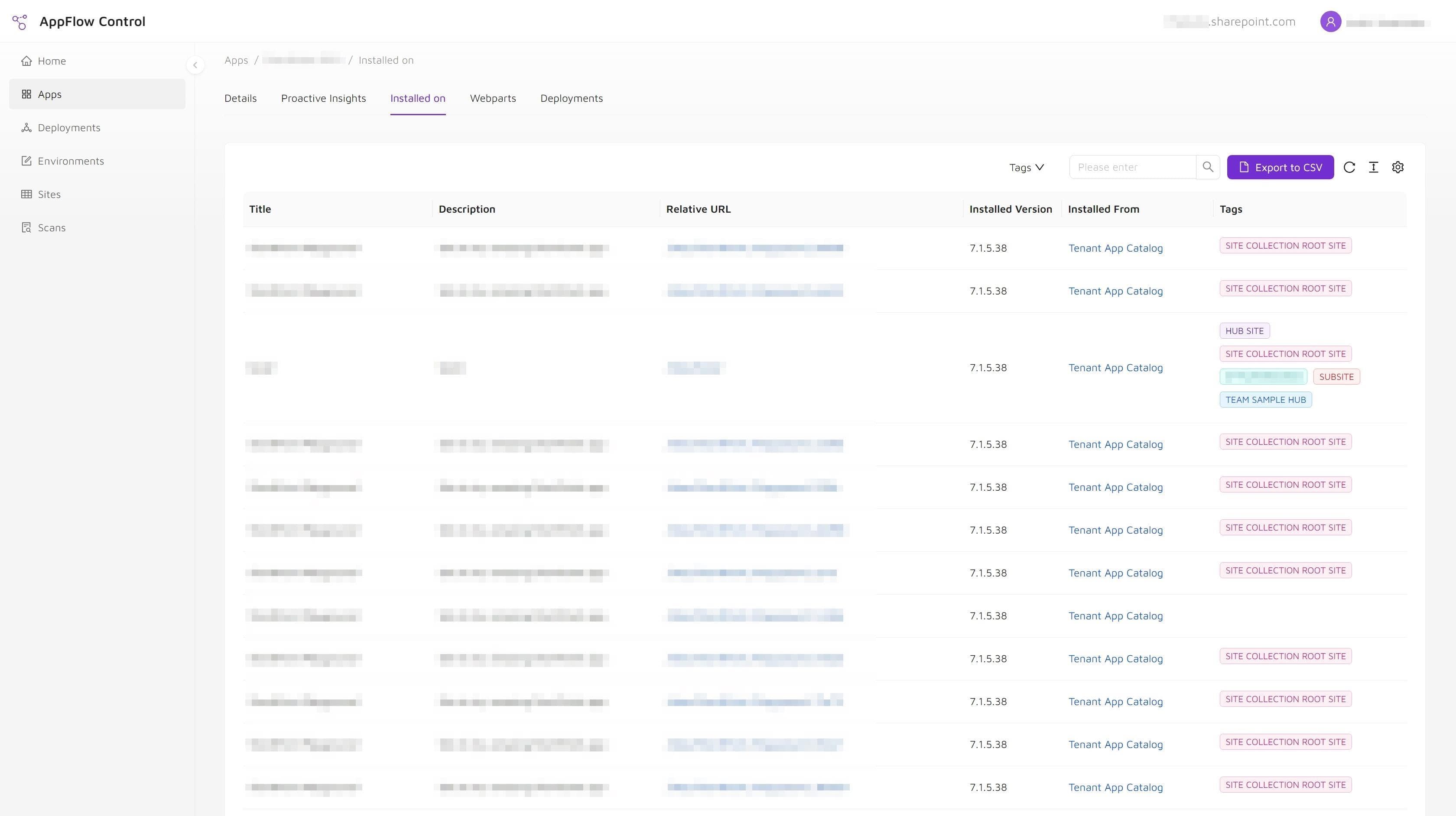
The team replaced the script-first audit loop with an inventory workflow that exposed installed app data in one place, handled filtering and export directly, and let administrators move from data collection to environment review much faster.
- The installation inventory no longer had to be rebuilt every time a governance or support request arrived.
- Filtering and export moved into the workflow instead of depending on manual post-processing.
Outcome
Lower audit friction and less dependence on one-off scripting for routine checks
The team reduced repeated PowerShell work for one of its most common inventory questions and made governance, support, and audit conversations easier because the underlying installation data became easier to access, export, and explain.
- Less dependence on one-off PowerShell runs for recurring inventory checks.
- Easier audit preparation with exportable installation data.
- Lower operational friction when support or governance teams needed current app visibility.
Solutions Used
Primary solution
Product
AppFlow Control
AppFlow Control gave the team a live installation inventory, filtering, and export workflow that replaced repeated PowerShell audits for routine SharePoint app visibility checks.
View product pageSupporting solution
Service
Microsoft 365 Administration
The Microsoft 365 administration engagement turned that inventory workflow into a repeatable operating model for governance reviews, support triage, and audit preparation.
View service pageWhy The Previous Workflow Broke Down
The old process was fragile because every inventory request started too close to the raw platform layer.
That created several problems:
- output quality depended on how recently the script had been maintained;
- permissions and connection setup added friction before the useful work even started;
- CSV cleanup and interpretation still had to happen manually;
- and the knowledge of how to run the process safely stayed concentrated in a small number of people.
The environment was not short on technical capability. It was short on an operational view that could be reused without rebuilding it every time.
Operational Takeaways
Recurring SharePoint administration work should not feel like an incident response exercise. If a team has to answer "where is this app installed?" every few weeks, that question deserves a repeatable workflow, not a recurring scramble.
The distinction matters because installation inventory is the starting point for several other jobs:
- rollout planning,
- update targeting,
- cleanup and retirement,
- governance reviews,
- and support triage.
If your current process still begins with PowerShell every time, pair this case study with why SharePoint app management breaks at scale and SharePoint app catalog vs site collection app catalog to define a more durable operating model.
Next step
Use AppFlow Control to make SharePoint rollout work safer before change windows open.
AppFlow Control gave the team a live installation inventory, filtering, and export workflow that replaced repeated PowerShell audits for routine SharePoint app visibility checks. Review the AppFlow Control page to see how the same visibility and rollout control can apply to your SharePoint environment.