
SharePoint administrators often evaluate the tenant app catalog and the site collection app catalog as a packaging choice. In practice, it is an operational choice as well. The catalog model you choose affects how you roll out apps, how you keep versions aligned, and how much manual follow-up work administrators inherit later.
If your goal is repeatable lifecycle control rather than one successful deployment, this distinction matters.
Why App Catalog Scope Becomes An Operational Decision
The app catalog determines more than where a package is uploaded. It shapes how easy it is to keep installations consistent across many sites, how targeted a rollout can be, and how much version drift you may need to manage later.
That is why the catalog question usually appears alongside broader SharePoint administration concerns such as governance, audit readiness, and supportability. Teams are not only asking "where should we publish this app?" They are also asking:
- who should be able to use it,
- how widely it should be rolled out,
- and how difficult future updates will become.
What The Tenant App Catalog Does Well
The tenant app catalog works best when the organization wants a central distribution point and a more standardized way to manage app packages.
It is typically a strong fit when you need:
- a single catalog for the broader environment,
- more centralized package governance,
- and a cleaner path for wide rollout across many sites.
For administrators, the tenant app catalog usually reduces package sprawl. It is also the more natural model when bulk deployment and upgrade workflows need to stay consistent over time.
What The Site Collection App Catalog Does Well
The site collection app catalog is useful when an app should remain local to a specific site collection, business unit, or isolated solution boundary.
It can be the right choice when you need:
- tighter local ownership,
- deliberate isolation from tenant-wide rollout,
- or a smaller blast radius for early experimentation.
That flexibility is valuable, but it comes with more room for inconsistency if different site collections start to manage similar solutions independently.
Where The Friction Shows Up In Production
The choice becomes harder when you move from architecture diagrams into daily administration. The table below captures the most common tradeoffs.
| Consideration | Tenant App Catalog | Site Collection App Catalog |
|---|---|---|
| Distribution model | Centralized | Scoped to a site collection |
| Rollout control | Better for broad, repeatable deployment | Better for narrow, localized rollout |
| Version consistency | Easier to standardize | Easier to drift over time |
| Governance overhead | Lower package sprawl | More local variation to track |
| Operational risk | Wider blast radius if change control is weak | Higher fragmentation if many catalogs exist |
The friction usually appears in three places:
- version drift, when similar apps or multiple builds spread across site collections;
- manual rollout work, when admins need to repeat the same install or update decisions in too many places;
- visibility gaps, when teams cannot easily see where the app is already installed or used before the next change.
That last point is why catalog choice alone is not enough. Even after the architecture decision is made, administrators still need visibility into installations and usage.
How To Choose The Right Model
Use the tenant app catalog when the organization wants a more centralized operating model and expects the solution to be maintained as part of the wider SharePoint estate.
Use the site collection app catalog when the solution should remain intentionally local and the team accepts the added responsibility that comes with localized control.
In either case, the important question is not only "where should this live today?" It is also:
- how will we update it later,
- how will we audit where it is deployed,
- and how will we confirm what is affected before we change it?
Those are the questions that usually drive teams from a one-time deployment decision into a broader SharePoint app management conversation.
How AppFlow Control Helps After The Catalog Decision
AppFlow Control does not replace the app catalog model. It helps administrators operate more effectively after the model is chosen.
That includes workflows for:
- bulk installation across multiple sites,
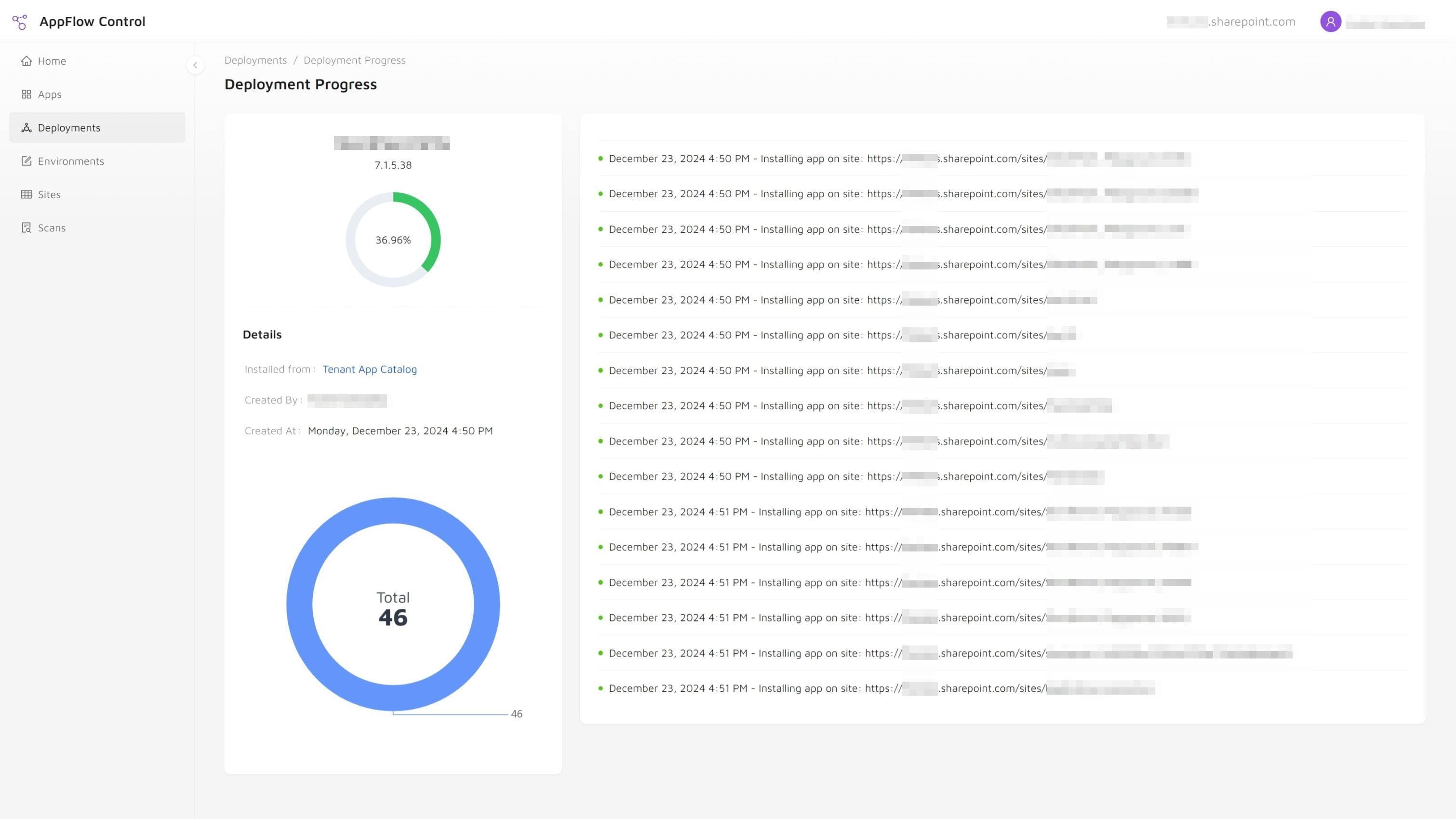
- upgrade rollouts with visible progress,
- installation inventory across the environment,
- and page-level visibility into where web parts are used.
If you are deciding between catalog models because rollout work is already becoming too manual, compare PnP PowerShell with UI-driven SharePoint app management, then use how to install the SharePoint Framework app on multiple site collections without PowerShell or how to update SharePoint apps on all sites for the execution workflow.
The case study on replacing weekend PowerShell audits with live app inventory shows why catalog architecture still needs an operational inventory. For teams formalizing the broader model, that work usually sits inside Custom SharePoint Solutions or Microsoft 365 Administration, depending on whether the main challenge is architecture or tenant operations.
Next step
Turn this workflow into a repeatable process with AppFlow Control
AppFlow Control helps administrators move from reactive troubleshooting to visible, repeatable deployment and support workflows across SharePoint environments.