
PnP PowerShell is one of the most useful tools in a SharePoint administrator's toolkit. It exposes app operations that are difficult to repeat through native interfaces, supports automation, and gives technical teams a way to work across many sites.
The real decision is not whether PowerShell is good or bad. It is whether a script is the right operating surface for a task that the team performs repeatedly, needs to audit, or must hand over to another administrator.
What PnP PowerShell Does Well
PnP PowerShell is a strong fit when administrators need flexible access to SharePoint operations and are comfortable owning the automation around them. The project includes cmdlets such as Get-PnPApp, Update-PnPApp, and Remove-PnPApp for app-catalog and site operations.
Scripts are especially useful for:
- one-off investigation and recovery work;
- custom logic that does not justify a dedicated interface;
- repeatable jobs already supported by secure automation and monitoring;
- and integration into engineering-owned delivery pipelines.
PowerShell also remains a valuable escape hatch. A UI should not pretend to replace every edge case available through an API or command line.
Where Script-First Operations Become Brittle
The cost appears when a useful script quietly becomes an operational dependency. The code may work, but the full workflow also depends on authentication, permissions, environment setup, throttling behavior, output cleanup, and someone who understands the assumptions built into it.
At scale, routine app work can inherit several problems:
- each site may require a separate connection or query;
- long-running inventory jobs can encounter throttling or expired sessions;
- raw output may need manual normalization before stakeholders can use it;
- script ownership can remain concentrated in one administrator;
- and a change in authentication or platform behavior can turn a routine job into maintenance work.
This is the "PowerShell tax" described in why SharePoint app management breaks at scale: the answer is technically obtainable, but expensive to reproduce as a dependable business process.
Permissions, Audit Evidence, And Handoff
Script execution is only one part of the governance story. Teams also need to explain who ran the operation, which sites were targeted, what happened on each site, and whether failures were retried or accepted.
A script can provide all of that, but only when the team deliberately builds logging, access control, export, error handling, and retention around it. A local command history or an ad hoc CSV is not automatically an audit trail.
Handoff creates a similar issue. If the workflow requires a specific machine, an unpublished script, or knowledge of several command-line flags, operational continuity depends on tribal knowledge. The case study How a SharePoint Admin Team Replaced Weekend PowerShell Audits with Live App Inventory illustrates why a recurring inventory question deserves a reusable workflow.
When To Keep The Script
Keep PnP PowerShell at the center of the workflow when:
- the task is exceptional rather than routine;
- the logic is tenant-specific and changes frequently;
- the engineering team already owns secure execution, logging, and maintenance;
- or the operation requires capabilities that a purpose-built interface does not expose.
In these cases, replacing the script may reduce flexibility without materially reducing risk.
When A UI Control Plane Is The Better Fit
A UI-driven workflow becomes useful when the task is common, multi-step, and shared by more than one operator. Typical examples include:
- locating where an app is installed;
- installing an app across a selected group of sites;
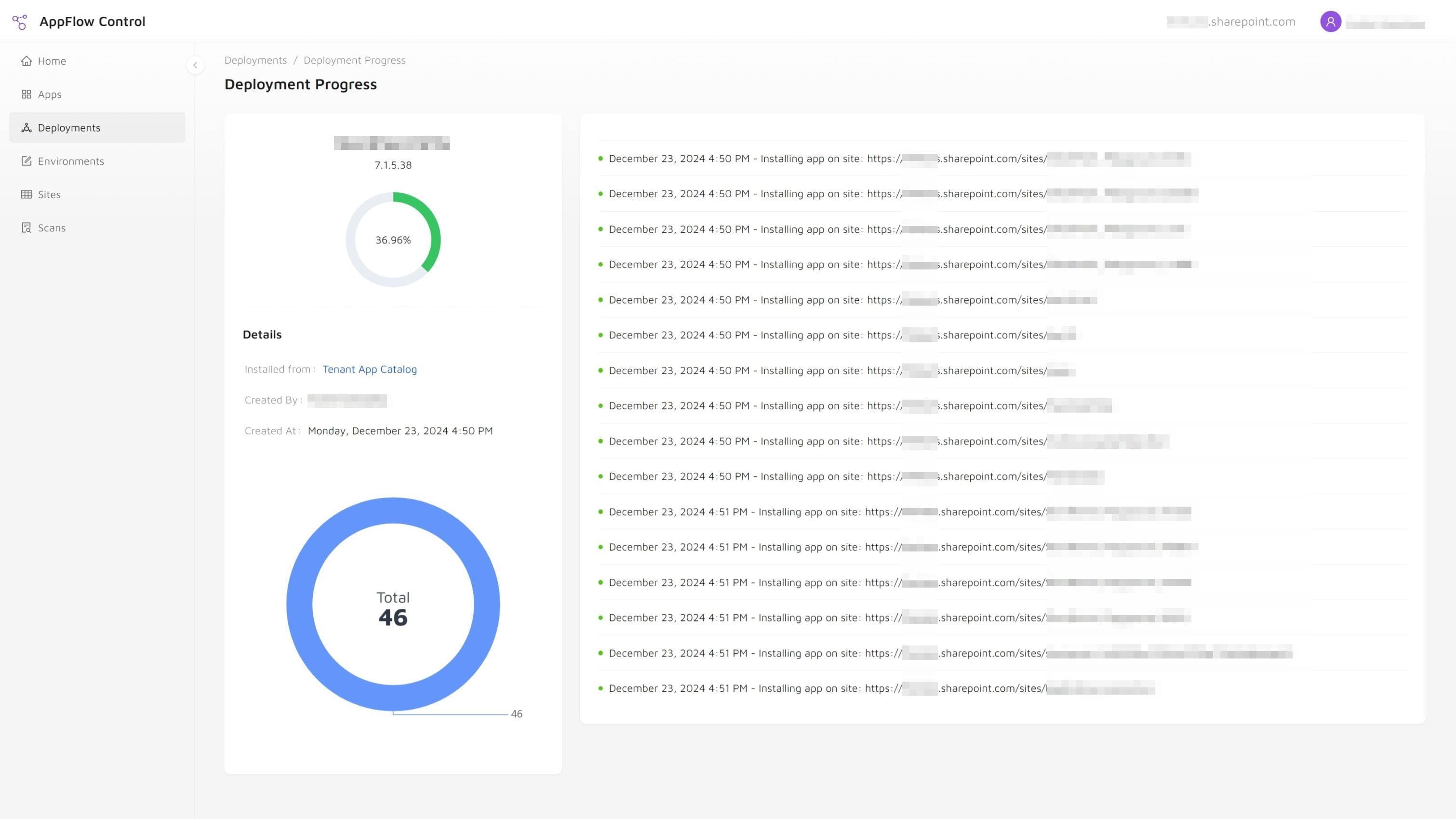
- updating installed apps and monitoring progress;
- reviewing where web parts are used before a change;
- and exporting evidence for support or governance review.
AppFlow Control is designed for these recurring lifecycle jobs. It does not remove the value of PnP PowerShell. It moves common app inventory and rollout operations into a visible workflow with filtering, selection, and progress context.
For a practical example, see how to install an SPFx app on multiple SharePoint sites without PowerShell.
Decision Matrix For SharePoint Admin Teams
| Decision factor | PnP PowerShell | UI-driven app management |
|---|---|---|
| Exceptional custom logic | Strong fit | Usually limited to supported workflows |
| Routine multi-site operations | Requires maintained automation | Designed for repeat use |
| Operator skill requirement | Scripting and platform knowledge | Product and process knowledge |
| Audit evidence | Must be designed into the script | Can be part of the workflow and export |
| Handoff | Depends on documentation and environment setup | Easier for a defined admin role |
| Edge-case access | Broad API and cmdlet flexibility | Narrower by design |
The best operating model is often hybrid. Keep scripts for automation, investigation, and exceptional work. Use a UI control plane for routine lifecycle operations where visibility, repeatability, and handoff matter more than unlimited flexibility.
Build A Repeatable Operating Model
Before moving a script-based process into a UI, document what the existing process actually does:
- What starts the workflow?
- Which permissions are required?
- How are target sites selected?
- What is recorded before and after the action?
- How are partial failures reviewed?
- Who can safely rerun or approve the operation?
That assessment prevents the team from trading one opaque process for another. For broader operating-model support, Microsoft 365 Administration can help define governance and handoff, while Custom SharePoint Solutions fits automation or integration needs outside the standard lifecycle workflow.
If updating is the next task, continue with how to update SharePoint apps on all sites. If removal is the goal, start with the dependency and verification steps in how to retire SharePoint apps safely.
Next step
Move recurring SharePoint app work into a visible operating workflow
Keep PowerShell for exceptional automation while AppFlow Control handles common inventory, rollout, update, and usage-review tasks in a workflow administrators can repeat and hand off.