
SharePoint governance is broader than permissions and site ownership. Organizations that use custom or third-party SPFx solutions also need to govern which apps are available, where they are installed, where their components are used, how versions are changed, and how old solutions are retired.
No single Microsoft tool is intended to answer every one of those questions. A useful governance model starts by understanding what each native control covers, then filling the operational gaps without buying a tool that duplicates capabilities the tenant already has.
The Governance Questions App Owners Need Answered
Before evaluating a SharePoint governance tool, define the decisions it must support. For app lifecycle management, those questions usually include:
- Which custom and third-party packages are approved?
- Which sites have each app installed?
- Which pages use components from a package?
- Are installed versions aligned with the intended release?
- Who must validate an update or retirement?
- What evidence confirms that a change completed successfully?
These questions cross several layers: package governance, site operations, page dependencies, ownership, and change control. That is why a broad "governance" label can hide a major scope mismatch.
What Microsoft Governance Tools Cover
Microsoft's current SharePoint Advanced Management overview describes controls for content sprawl, site and content lifecycle, permissions, access, change history, and governance preparation for Microsoft 365 Copilot and agents.
Those capabilities are valuable. They help administrators address problems such as:
- inactive or ownerless sites;
- overshared content and access risk;
- site attestation and ownership policies;
- changes to SharePoint site properties;
- and non-Microsoft applications registered in Entra ID that access SharePoint content.
Microsoft also provides the app catalog for approving and distributing SharePoint apps, plus APIs, command-line tools, and reporting surfaces for supporting operations. SPFx governance guidance recommends a clear approval plan for packages and the external scripts or CDNs they use.
What Those Tools Do Not Replace
The native controls above do not form a complete SPFx lifecycle inventory. Based on their documented scope, site lifecycle, content access, and Entra application insights are different questions from:
- enumerating app installation state across a selected SharePoint estate;
- mapping a specific SPFx web part to the modern pages where it is placed;
- comparing installation and usage before removal;
- and running targeted app installs or upgrades with operational progress tracking.
This distinction matters because the word "app" can refer to different entities. An Entra application accessing SharePoint content is not the same inventory object as an SPFx package installed on sites, and neither automatically reveals where a web part from that package appears on a page.
For the most important distinction, see installed on a SharePoint site is not the same as used on a page.
The Capabilities An App Lifecycle Tool Should Provide
An app-focused governance layer should make evidence easier to obtain before and after a change. Evaluate tools against concrete workflows rather than feature labels.
Installation visibility
Administrators should be able to identify where an app is installed without reconstructing the answer through repeated site-by-site work.
Page-level component visibility
The workflow should distinguish package installation from actual web part placement so QA and retirement decisions reflect user-facing dependencies.
Controlled lifecycle actions
Install and update operations should support explicit targeting, visible status, and a way to review partial outcomes.
Export and handoff
Governance evidence should be understandable outside the administrator who collected it. Filtering and export make ownership review and change approval easier to repeat.
Scope clarity
The tool should state what it does not cover. App lifecycle visibility does not replace data access governance, retention, sensitivity labels, site ownership policy, code review, or security assessment of a package.
How To Evaluate Fit Without Overbuying
Use a capability map before comparing vendors:
| Governance need | Likely system of record |
|---|---|
| Site ownership and inactivity | SharePoint Advanced Management or tenant governance process |
| Content permissions and oversharing | Microsoft 365 security and SharePoint governance controls |
| Package approval and availability | SharePoint app catalog and deployment policy |
| App installation inventory | App lifecycle operations workflow |
| SPFx web part page usage | Component visibility workflow |
| Targeted install and update execution | App lifecycle operations workflow |
| Change approval and audit record | Organizational change-management process |
This prevents two common mistakes: expecting a site-governance suite to provide component dependency mapping, or expecting an app operations tool to replace broad Microsoft 365 compliance controls.
Where AppFlow Control Fits
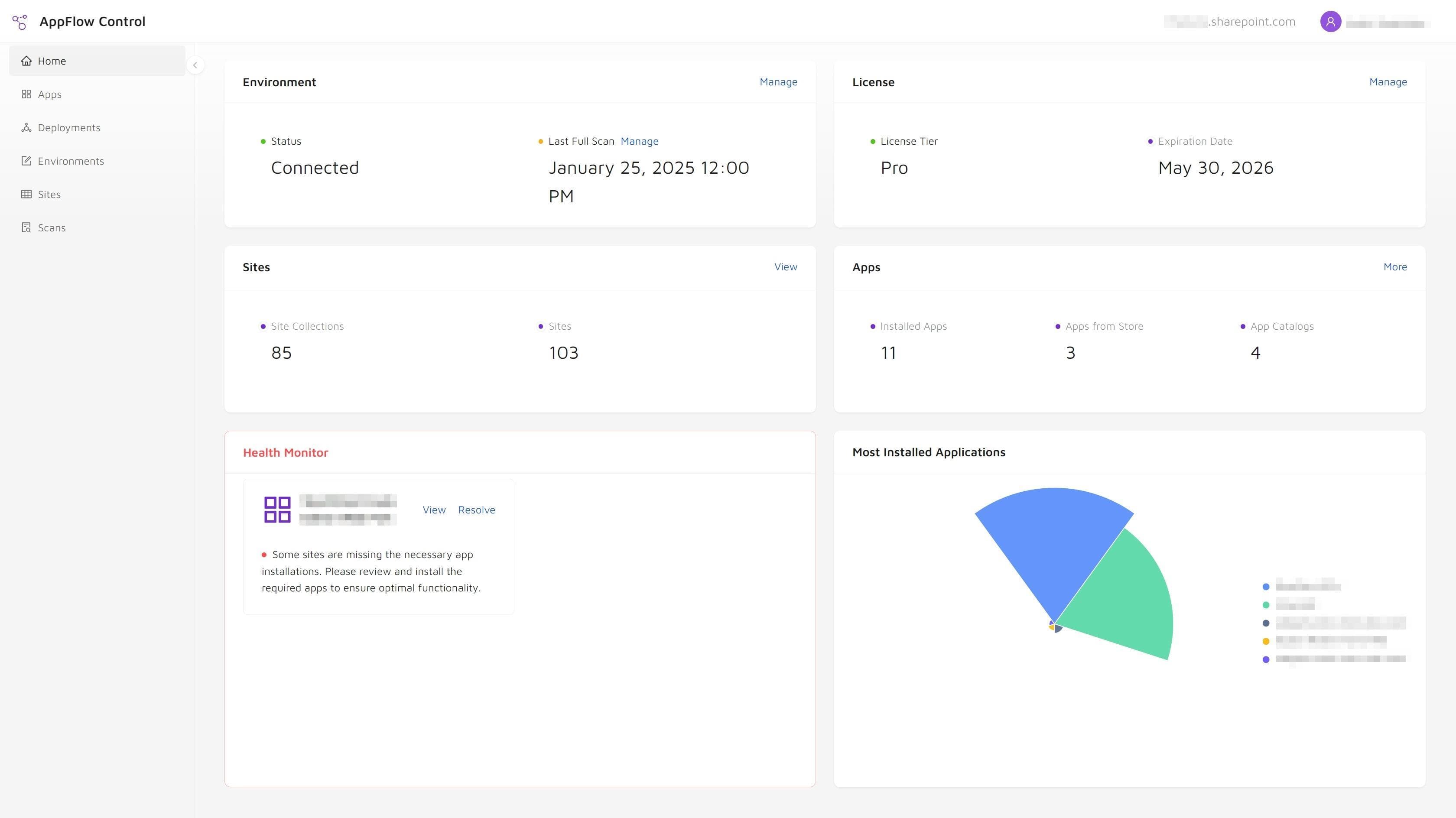
AppFlow Control focuses on the operational app layer. It helps SharePoint administrators review app installations, inspect web part usage, and run common rollout or upgrade workflows across multiple sites with less script-heavy discovery.
That makes it complementary to Microsoft's governance controls. SharePoint Advanced Management can support site, content, access, and broader application-access governance, while AppFlow Control supplies evidence for SPFx lifecycle decisions.
The case study How a Governance Team Found Unused SharePoint Apps and Reduced Tenant Sprawl shows how installation and usage views can support ownership and cleanup decisions without pretending that page placement is the same as active user analytics.
Turn Governance Policy Into An Operating Workflow
A policy such as "retire unused custom apps" is not actionable until the team defines:
- how candidates are identified;
- how installation and page usage are checked;
- who owns the decision;
- what replacement or communication is required;
- and what evidence proves the app was cleaned up safely.
Teams can use Microsoft 365 administration support to establish that operating model, then use AppFlow Control for the installation, usage, and lifecycle evidence within it.
If retirement is the immediate concern, continue with how to retire SharePoint apps and SPFx web parts without breaking production pages. For a wider explanation of the underlying problem, read why SharePoint app management breaks at scale.
Next step
Turn SharePoint app visibility into an actionable governance process
Connect app installation and component-usage evidence with the ownership, review, and change-control practices already used across your Microsoft 365 environment.